AI TOOL / #04322
Anxiety Simulator
The anxiety simulator helps you understand what anxiety is by simulating conversations and providing feedback.
Introduction
Anxiety Simulator helps understand anxiety through simulated conversations and feedback.
What is an Anxiety Simulator?
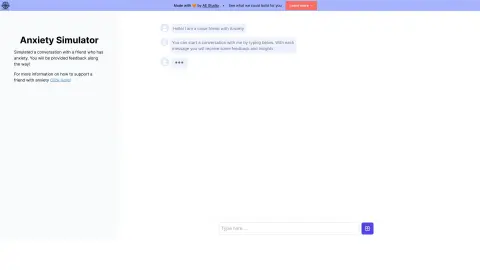
The Anxiety Simulator is an application designed to help users understand the experiences of people with anxiety disorder when communicating through messages. It simulates a conversation between the user and a friend who suffers from anxiety disorder, providing insights into the friend’s thoughts and how the user’s messages affect them. This tool offers feedback on how messages are perceived and suggestions on how they can be improved.
How to use the Anxiety Simulator?
The user engages in a simulated conversation with a friend who is experiencing anxiety. The application provides feedback on the user’s messages and reveals the friend’s thoughts and level of anxiety. By clicking on the thought bubbles, users can see how their messages can be improved.
The core functions of the Anxiety Simulator
Simulated conversation with a friend who suffers from anxiety
Real-time feedback on the impact of messages
Gain an insight into the thoughts of those who suffer from anxiety.
Tracking of anxiety levels during conversations
Real-time feedback on the impact of messages
Gain an insight into the thoughts of those who suffer from anxiety.
Tracking of anxiety levels during conversations
Related
gengo.app
A comic and light novel reader equipped with an OCR dictionary, designed for Japanese language learning.
Pen2txt
Pen2txt uses handwriting recognition technology to convert handwritten notes into digital text.
NoteThisDown
Take Note turns handwritten notes into digital text and integrates with Notion via AI.
ImageToText
An extension that copies text from images on the internet via the OCR.Space API.
OCR
An OCR plugin used for the recognition of images and PDF text.
GetSearchablePDF
Use OCR technology to convert PDF files into searchable documents.