AI TOOL / #07146
ImageToText
An extension that copies text from images on the internet via the OCR.Space API.
Introduction
An extension to copy text from images on the internet using OCR.Space API.
What is the OCR.Space API AI Chrome extension/plugin?
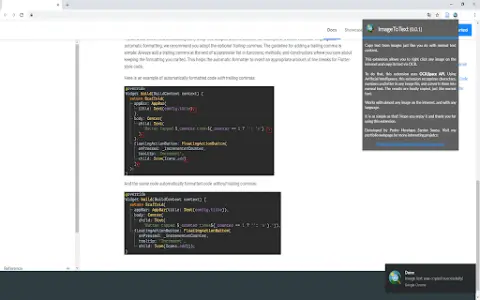
This extension lets you copy text from any image on the internet just like regular text content. Simple—that's the goal of this app. Just right-click the image, select “Copy Image Text,” and you're done… You can use and paste the text you see in that image. It's very useful for extracting text from informative, entertaining, and code-block images. Now you don't have to rewrite everything—with this extension, the problem is solved. To process images, this extension uses the OCR.Space API.
How do I use the OCR.Space API AI Chrome extension/plugin?
Right-click an image, select "Copy Image Text," and then paste the extracted text.
Core features of the OCR.Space API AI Chrome extension/plugin
Copy text from images on the internet.
Related
Noiz AI
AI voice cloning and dubbing
Tendering Rubik's Cube
An AI-powered tool that enhances the efficiency of bidding processes involving label reading and annotation tasks
Trae (English version)
Under the Byte brand, the first AI IDE in China
tyy.AI Tools
A leading AI tools directory for discovering and submitting AI tools for every need.
Bonobo AI
A toolkit for managing YouTube channels, designed specifically for the purposes of SEO optimization, promotion, and increasing productivity.
rareconnections.io
Rareconnections utilizes AI technologies to empower content creators, enabling automation and monetization.