AI TOOL / #07466
Reverse image search by Copyseeker
Copyseeker image search offers advanced image-search capabilities with just a simple right-click operation.
Introduction
Copyseeker Image Search provides advanced image search capabilities through a simple right-click.
What is the Copyseeker Image Search AI Chrome extension/plug-in?
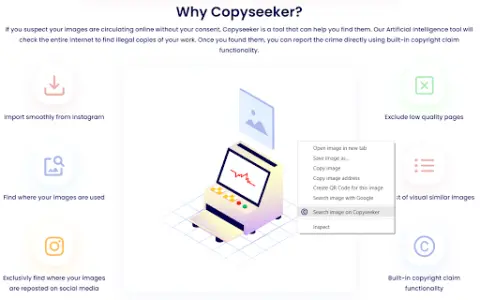
Copyseeker Image Search is a tool designed to enhance the browsing experience by offering advanced image-search capabilities. Users can right-click on any image and select “Search for this image in Copyseeker” to have the image analyzed and obtain detailed information about it.
How to use the Copyseeker Image Search AI Chrome extension/plug-in?
When browsing web pages, right-click on any image and select the option “Search for this image on Copyseeker”. Afterwards, Copyseeker will analyze the image and provide detailed information regarding it.
The core functionality of the Copyseeker Image Search AI Chrome extension/plug-in
Search for images with just one right-click.
Advanced Image Analysis
Fast and efficient results
Privacy-conscious image search
Advanced Image Analysis
Fast and efficient results
Privacy-conscious image search
Related
Granny cooks for me
An AI recipe generator based on the provided ingredients.
Recipe Lens
AI-powered applications used for identifying recipes and generating personalized meal plans based on photos.
CookFast
An AI-powered tool that quickly generates recipes using readily available ingredients.
ChefBot
An AI-based application that generates personalized recipes based on available ingredients and preferences.
ChatterBox
One-stop artificial intelligence tool solutions: chatbots, recipe generation, and content creation.
SIP AI : Food & Drink AI
Provide personalized recipes for food and beverages that support a healthy lifestyle.