AI TOOL / #07326
ScreenScan – Instant Screenshot Search
Google Lens: Instantly capture, search, and explore images, videos, and text online.
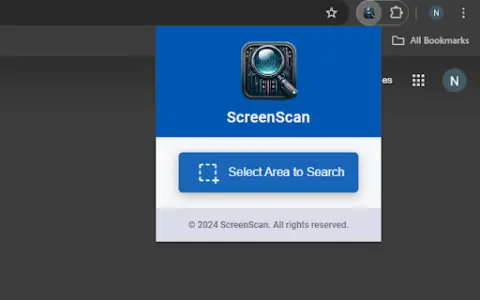
Introduction
Google Lens: Instantly capture, search, and explore images, videos, and text on the web.
What is the Google Lens AI Chrome extension/plugin?
Google Lens is a powerful tool that allows users to instantly capture, search, and explore any image, video, or text online with a simple tap. It uses advanced image recognition technology to provide relevant information and insights based on what it sees. Whether you want to identify a plant, translate text in real time, find similar products, or learn about a landmark, Google Lens can help you discover more about the world around you.
How do I use the Google Lens AI Chrome extension/plugin?
Simply tap an image, video, or text on a web page, and Google Lens will analyze the content and provide relevant information, search results, and related actions.
Core Features of the Google Lens AI Chrome Extension/Plugin
Image Recognition
Text Translation
Product Identification
Object Recognition
Visual Search
Text Translation
Product Identification
Object Recognition
Visual Search
Related
WordPal: AI-powered writing assistant
An AI writing assistant used for grammar checking, rewriting, content generation, and text summarization.
SummerEyes – AI Productivity Tool
AI-powered tools enable instant text summarization in browsers, allowing for rapid processing of information.
Blaze Feeds
An AI-powered RSS reader with smart summaries and cross-platform support.
ResearchBuddy.app
ResearchBuddy automatically generates literature reviews and briefs.
OneClick AI
OneClick AI simplifies workflows by allowing users to extract and summarize content with just one click.
PowerPost
PowerPost summarizes, translates and allows interaction with articles for quick insights.