AI TOOL / #07221
GPT-4 Vision Screenshot
A tool that uses GPT-4 visual AI to extract answers from screenshots.
Introduction
A tool that extracts answers from screenshots using GPT-4 Vision AI.
What is the GPT-4 Vision Screenshot AI Chrome extension/plug-in?
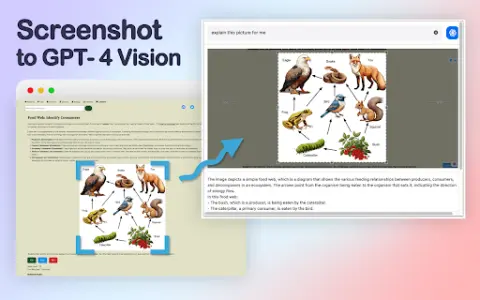
GPT-4 Visual Screenshot is an innovative tool that allows users to select any area of the screen and pose relevant questions. GPT-4 Visual then directly extracts answers from the screenshot, intelligently interpreting the visual content with remarkable accuracy. By providing a fast, in-depth, and interactive search experience, it has completely transformed the way people obtain information.
How to use the GPT-4 Vision Screenshot AI Chrome extension/plug-in?
With just a simple shortcut key, you can select any area on the screen. Once you pose a question related to the selected area, GPT-4 Vision will directly extract the answer from the screenshot.
The core functions of the GPT-4 Vision screenshot AI Chrome extension/plugin
Use GPT-4 visual AI to extract answers from screenshots.
Related
datahawk.co
DataHawk is an e-commerce analysis platform that enables automated data collection and helps increase revenue.
JSON Scout
AI-based tool that converts unstructured text into structured JSON data without the need for regular expressions.
AIScraper
AI-powered web crawlers make it easy to extract data from web pages.
Flow Leads
An artificial intelligence-driven platform designed to help users identify local businesses and potential opportunities in the e-commerce sector, while providing verified information.
Map Lead Scraper
A Google Maps scraping tool designed to extract business data and generate leads.
Webutler.AI – AI powered web scraper
An automated AI data extraction tool that requires no coding to use.