AI TOOL / #06796
AutoPod
An Adobe Premiere Pro plugin for automatic video podcast editing.
Introduction
Adobe Premiere Pro plugin for automatic video podcast editing.
What is AutoPod?
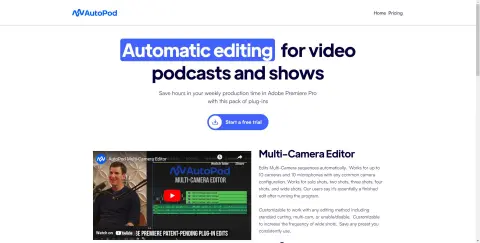
AutoPod is a set of plugins for Adobe Premiere Pro, designed specifically for video podcast and video program editors. It automates tasks such as multi-camera editing, creation of social media-ready content, and seamless editing based on audio silence markers. By streamlining processes that often prove time-consuming for editors, AutoPod helps to save valuable production time every week.
How to use AutoPod?
Install the AutoPod plugin in Adobe Premiere Pro. Open a project file in Premiere Pro, navigate to Window > Extensions, and then click on the desired AutoPod application. Use these tools to automatically edit multi-camera videos, create social media-ready clips, or add transitions based on audio silence.
The core functions of AutoPod
Automatic multi-camera editing
Social media content creation
Jump-cut editing
Social media content creation
Jump-cut editing
Related
&AI (YC S24)
AI-based patent due diligence tool for attorneys and inventors.
LawDroid Copilot
LAWDROID COPILOT is a GPT-3-powered AI legal assistant designed to improve work efficiency.
OwchBuddy
An AI-powered personal assistance tool that connects users with lawyers and medical resources.
AI Law
An artificial intelligence-based legal platform designed for drafting documents, analyzing data, and enhancing legal efficiency.
TensorScan AI
An AI-powered browser extension for real-time analysis of Ethereum wallet transactions on Etherscan.io.
Next Alpha
An AI-powered platform designed to enhance cryptocurrency traders' profitability through insights and tools.