AI TOOL / #06738
Chat GPT Logger
An extension tool used to save ChatGPT conversations as local text files.
Introduction
Extension to save ChatGPT conversations to a local text file.
What is the GPT Chat Logger AI Chrome extension/plug-in?
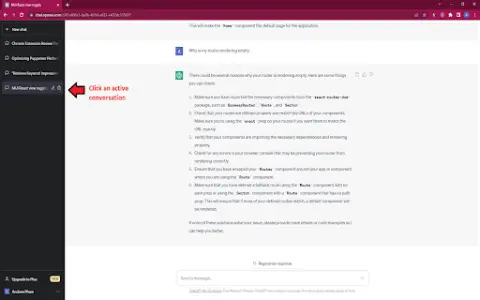
The GPT Chat Recorder is an extension that allows you to save active conversations from Chat GPT as text files on your computer. All you need to do is click on an ongoing conversation, then click the save icon, and finally save the file to your device. These steps are also illustrated in the image provided.
How to use the GPT Chat Logger AI Chrome extension/plug-in?
Click on an active conversation within ChatGPT, select the save icon, and then save the file to your computer.
The core functionality of the GPT Chat Logger AI Chrome extension/plug-in
Save the ChatGPT conversation as a local text file.
Related
BypassAI ai
"Bypass AI" is an tool designed to circumvent AI detection systems, utilizing user-friendly AI-generated text to trick these detectors.
Humanize-AI
An AI tool that converts text generated by AI into more human-readable content and manages to bypass AI detection systems.
NopeCHA: CAPTCHA Solver
A browser extension that uses AI to automatically solve CAPTCHAs.
Humanize Text
AI-powered tools that transform artificial intelligence-generated text into natural, undetectable human-written content.
Capsolver
Automatic AI CAPTCHA decoder that utilizes image recognition technology to overcome challenges posed by reCAPTCHA, Cloudflare, and other similar systems.
Secur3D
Secur3D automates the analysis and review of 3D content, thereby safeguarding intellectual property rights as well as user-generated content assets.