AI TOOL / #06677
Voice Control for Netflix
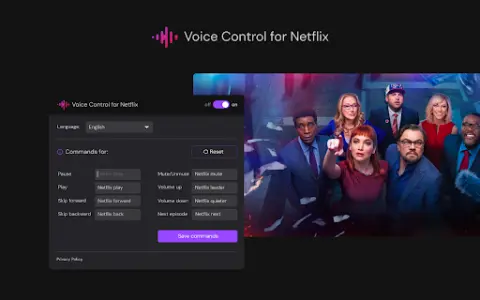
Use voice control to operate Netflix: play, pause, fast-forward, and more.
Introduction
Control Netflix with your voice: play, pause, fast-forward, and more.
What is the Voice Control for Netflix AI Chrome extension/plugin?
Netflix’s voice control allows users to manage their Netflix experience via voice commands. This includes tasks such as playing, pausing, and advancing videos, all without the need to use a remote control or touch the screen.
How to use the Voice Control feature for the Netflix AI Chrome extension/plug-in?
Simply enable Netflix’s voice control, and then use voice commands to control playback, navigate the menu, and search for content.
The core functionality of the Netflix AI Chrome extension/plugin for voice control
Use voice control to operate Netflix playback functions (play, pause, fast forward, rewind).
Hands-free navigation, Netflix menu
Voice search for films and TV shows
Hands-free navigation, Netflix menu
Voice search for films and TV shows
Related
BlockP: AI Website, App & Porn Blocker
BlockP is a Chrome extension and an Android app designed to help block distractions and enhance focus.
paraphrasing.io
A free AI-based translation tool that offers a range of options for rewriting and enhancing text.
ValueSpot
ValueSpot provides real-time, valuable information, helping users avoid clicking on misleading links or encountering spam.
Plot
An AI-driven creative management platform designed for social media teams.
S&S – AI Privacy Policy Summarizer
An artificial intelligence tool that simplifies privacy policies into concise summaries, making them easy to understand at a glance.
Acrolinx for Chrome
An AI platform for strategy-aligned content creation, automation, and analytics.