AI TOOL / #06631
Voice-to-ChatGPT
Voice-controlled ChatGPT interactions via browser plug-in.
Introduction
Voice-controlled ChatGPT interaction via a browser extension.
What is the Voice-to-ChatGPT ai chrome extension/plugin?
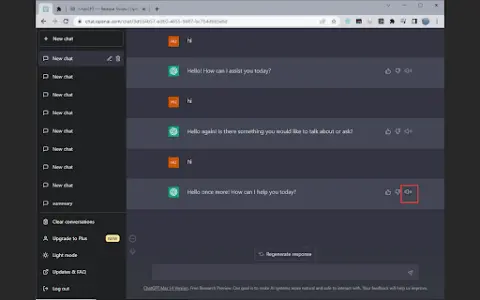
Voice Control ChatGPT is a browser plug-in that allows users to interact with the ChatGPT language model through voice. It leverages Google Chrome's speech recognition and text-to-speech technology to enable users to use voice input and audible replies from ChatGPT. Users can hold down the button to speak their question, release the button to send, and optionally cancel or edit before sending.
How to use Voice-to-ChatGPT ai chrome extension/plugin?
Open the ChatGPT homepage, press and hold the Talk button to speak, and release the button to send your question. You can cancel or edit your entry before sending.
Voice-to-ChatGPT ai chrome extension/plugin core functionality
Voice input to ChatGPT
Text-to-speech output for ChatGPT
Major languages supported
Press and talk function
Related
NoPlagio
Online Plagiarism Detection and Prevention Platform.
Noodle4 AI – Content review assistant.
Noodle4 is an AI platform for content moderation and review, ensuring consistency with the brief.
Leminda AI fake-checker
An AI-powered Chrome extension designed to detect fake news and fraudulent information.
Anonymia
Anonymia is a platform that allows people to share anonymous confessions in a safe and private community.
GPT Detector for StackOverflow
A free online platform that provides tools for PDFs, videos, images, and other types of files.
Aithenticate
A tool for AI content transparency and compliance.