AI TOOL / #06413
Audiotext AI
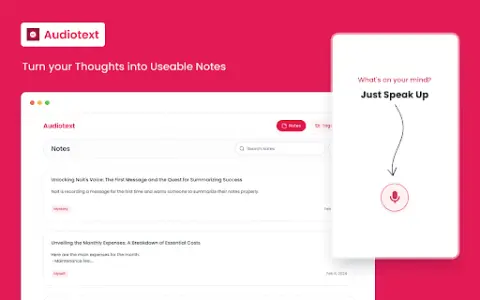
Audiotext AI converts audio to text, removes filler words, and offers multiple transcription styles.
Introduction
Audiotext AI converts audio to text, removing filler words and offering various transcription styles.
What is the Audiotext AI AI Chrome extension/plugin?
Audiotext AI can convert audio into accurate text by removing unnecessary words and generating concise summaries. It allows users to transcribe speech into text, offering multiple styles such as short summaries, bullet points, passive voice, and active voice.
How do I use the Audiotext AI Chrome extension/plugin?
1. Speak naturally, including filler words. 2. Choose a transcription style (short summary, long summary, bullet points, etc.). 3. Click "Transcribe."
Core features of the Audiotext AI Chrome extension/plugin
Audio to text
Remove unnecessary words.
Concise Summary
Rewriting with AI for style adjustment
Shareable note link
Remove unnecessary words.
Concise Summary
Rewriting with AI for style adjustment
Shareable note link
Related
QnAPe
QnAPe is a question-and-answer platform designed to help people learn and connect with those who possess extensive knowledge.
Ithy AI
Ithy leverages cutting-edge artificial intelligence to provide comprehensive and high-quality answers to complex questions.
Abloom for Students: AI Powered Wellbeing
Abloom uses artificial intelligence to improve trust and support in schools.
Pokkoa
AI-based divination using the I Ching, applicable to mental health and fortune-telling.
MoodSpace
A productivity and wellness management extension for tracking emotions, keeping a journal, and fostering personal growth.
Habitomic
A platform built on AI-based habits, offering personalized plans and motivation.