AI TOOL / #05778
Roshi AI
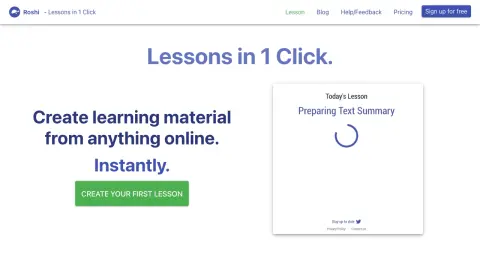
Roshi enables teachers to quickly utilize AI to create interactive learning materials.
Introduction
Roshi helps teachers create interactive learning material quickly using AI.
What is a Roshi?
Roshi enables teachers to quickly create interactive learning materials, and its usage is very straightforward. Users can generate summaries, glossaries, questions, and activities based on YouTube videos or articles. It also allows for the creation of dialogues, visual effects, and targeted exercises according to specific criteria.
How to use Roshi?
Describe the learning materials you need. Use the provided prompts to generate the content, and Roshi will use AI to create those materials for you, which will then be shared on learning platforms such as Moodle or Google Classroom.
The core features of Roshi
AI-driven course generation
Creation of custom voice-driven conversations
Visual content generation (images, brochures, etc.)
Targeted content generation (such as CLB)
Integration with Moodle and Google Classroom
Creation of custom voice-driven conversations
Visual content generation (images, brochures, etc.)
Targeted content generation (such as CLB)
Integration with Moodle and Google Classroom
Related
PDFgear
Free PDF software for editing, converting, and managing PDF documents.
PONGO
An open-source visual language model that enables the understanding of images through textual prompts.
PPWORD
An AI platform designed for generating text, images, music, and videos, which facilitates creative collaboration among users.
StockNear
AI stock analysis tool
Connected Papers
academic tools
Crayo AI
An AI platform that automatically generates virus-like TikTok videos and short clips.