AI TOOL / #04037
myGPTBrain
Simplify the process of acquiring knowledge through instant responses and document summaries.
Introduction
Simplifies knowledge consumption with instant answers and document summarization.
What is the myGPTBrain AI Chrome extension/plug-in?
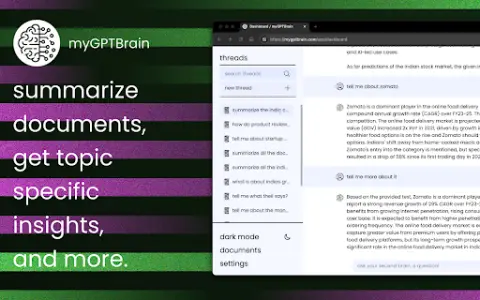
myGPTBrain is a tool designed to simplify the process of acquiring knowledge. It allows users to save articles and web pages, and provides immediate, context-rich answers. Users can summarize documents, identify key points, and ask questions related to the subject matter. This tool enhances both the accessibility and understanding of content.
How to use the myGPTBrain AI Chrome extension/plug-in?
You can save articles and web pages by clicking the corresponding buttons. After saving them, you can then ask questions, summarize the content, or highlight key information within those saved items.
The core functions of the myGPTBrain AI Chrome extension/plug-in
Real-time, context-rich Q&A interactions
Document summary
Q&A sessions specific to the topic
Custom command
Upload images, ZIP files, Office documents, and more.
Chat with multiple documents simultaneously
Document summary
Q&A sessions specific to the topic
Custom command
Upload images, ZIP files, Office documents, and more.
Chat with multiple documents simultaneously
Related
Resume Copilot
Instant resume feedback tool to improve your job application success rate.
Bing Copilot
A Chrome extension that integrates Bing Search and an AI assistant to enhance the browsing experience.
Perspectives
A decision-making platform that provides AI guidance for personal and professional choices.
Astronuts
AI-powered software engineering assistance tools that help deliver code more quickly and improve various metrics.
Sheet Chat
An AI assistant integrated with Google Workspace and Microsoft Office for productivity gains and workflow simplification.
AI Anywhere
Desktop AI assistants integrate ChatGPT into all applications to enhance productivity.