AI TOOL / #02660
Grok Button
A browser extension that provides quick access to Grok AI.
Introduction
A browser extension for quick access to Grok AI.
What is a Grok Button?
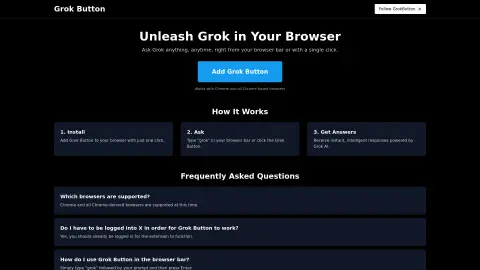
The Grok button is a browser extension that seamlessly integrates the powerful capabilities of Grok AI into your web browser. Users can submit their questions by entering “grok {your question}” in the browser address bar or by clicking the Grok button, and they will receive instant, intelligent responses.
How to use the Grok Button?
Install the Grok button extension. To use it, enter “grok” followed by your question in the browser address bar, then press Enter, or click the Grok button.
The core functionality of the Grok Button
Quickly access Grok AI from your browser.
Answer questions immediately
Integration with Chrome and Chrome-based browsers
Answer questions immediately
Integration with Chrome and Chrome-based browsers
Related
New readywhen
The AI-powered assistant designed to help small business owners track their commitments
New Lium
Cloud GPU computing power billed on a per-second basis
New instant listening recording
AI-based recording and minutes generation for meetings
New 3AM
AI duty engineer for production troubleshooting
Gixo Lumen
AI-powered presentation tool for business reporting
Daddy Issues
An AI weekly report that helps fathers worry about household matters in advance